You can use the Microsoft Entra ID integration to connect users and groups from your organization to heylogin. This allows you to import users and automatically manage shared access through existing Entra groups.
Required Permissions
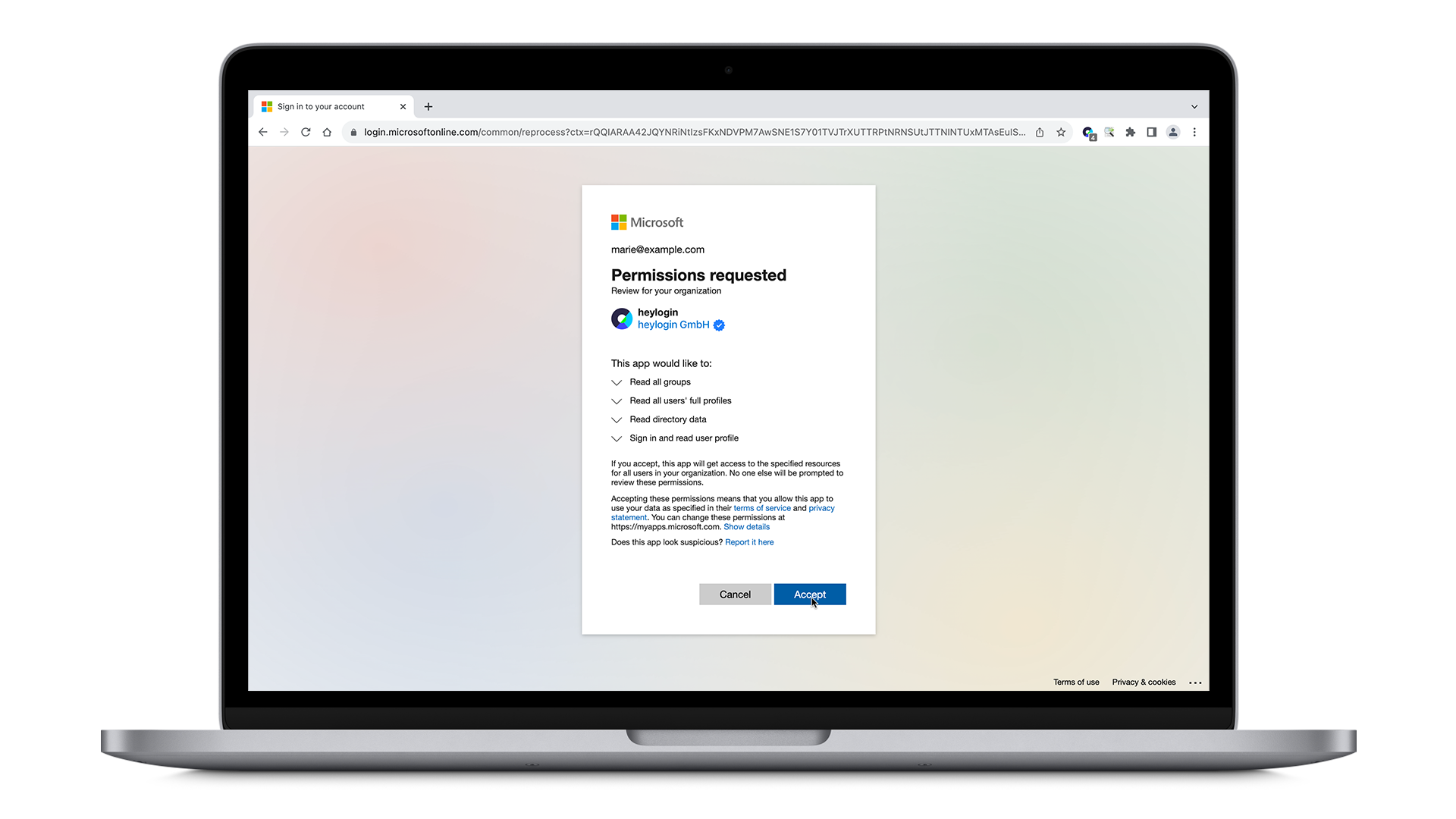
To connect heylogin to Entra ID, the following permissions are required:
User.Read.All to access the list of users in the organization (username + email address)
Group.Read.All to access the list of groups in the organization
These permissions must be granted to the heylogin application via Admin Consent. For this reason, a privileged account is required for this operation.
Connect Microsoft Entra ID with heylogin
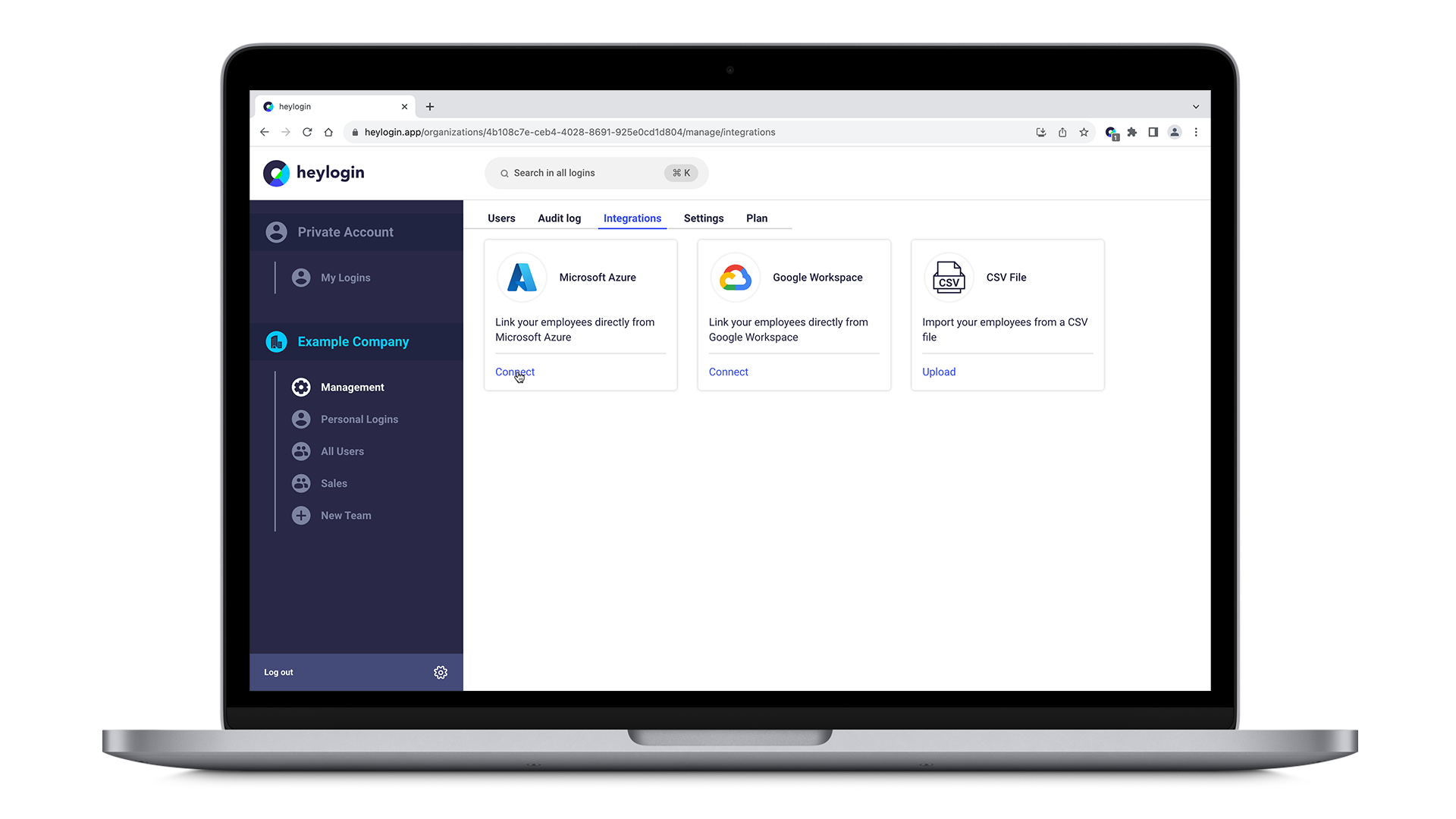
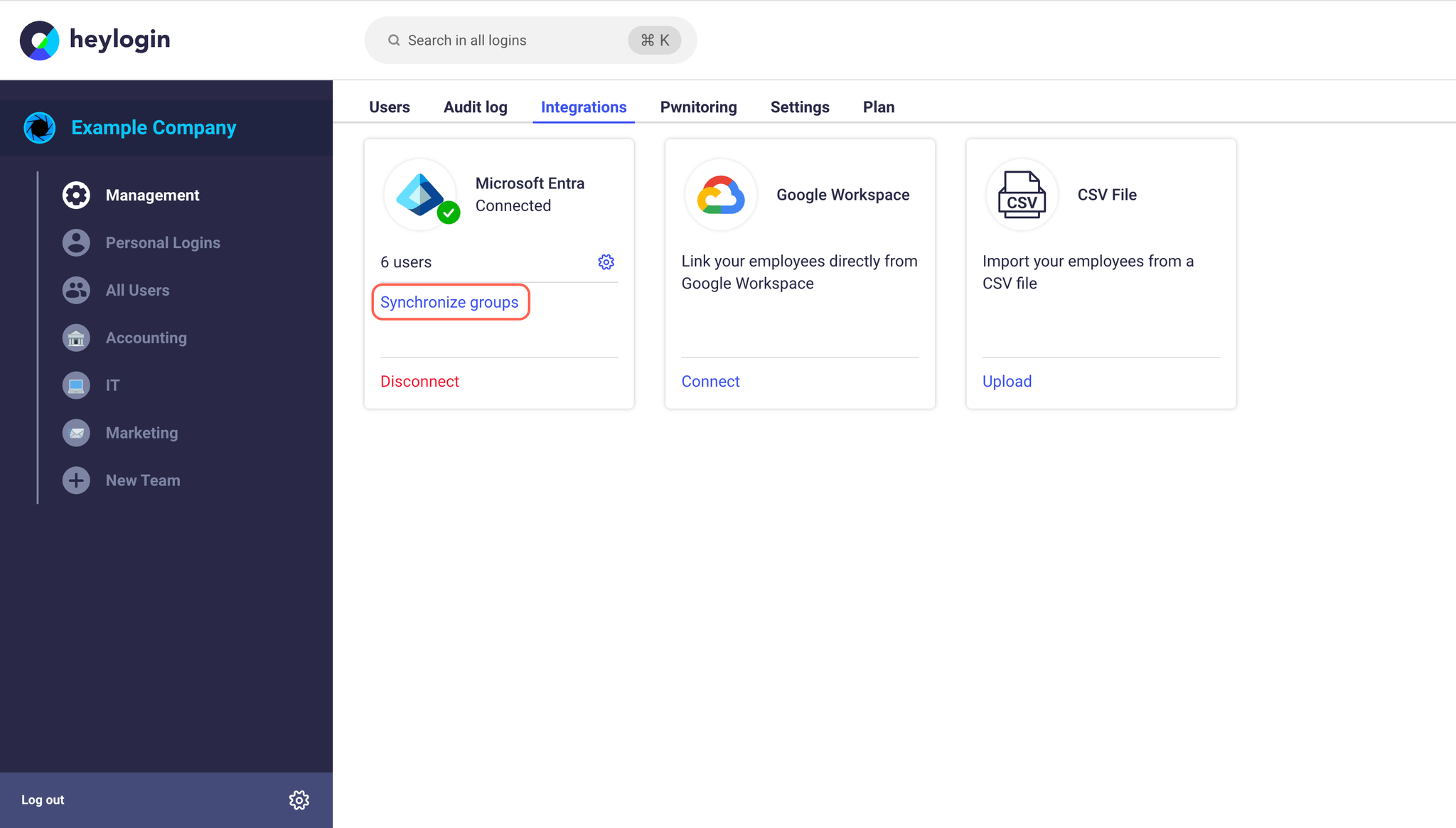
Within your management interface at heylogin.app click on the Integrations tab and hit Connect in the Microsoft Entra ID box.
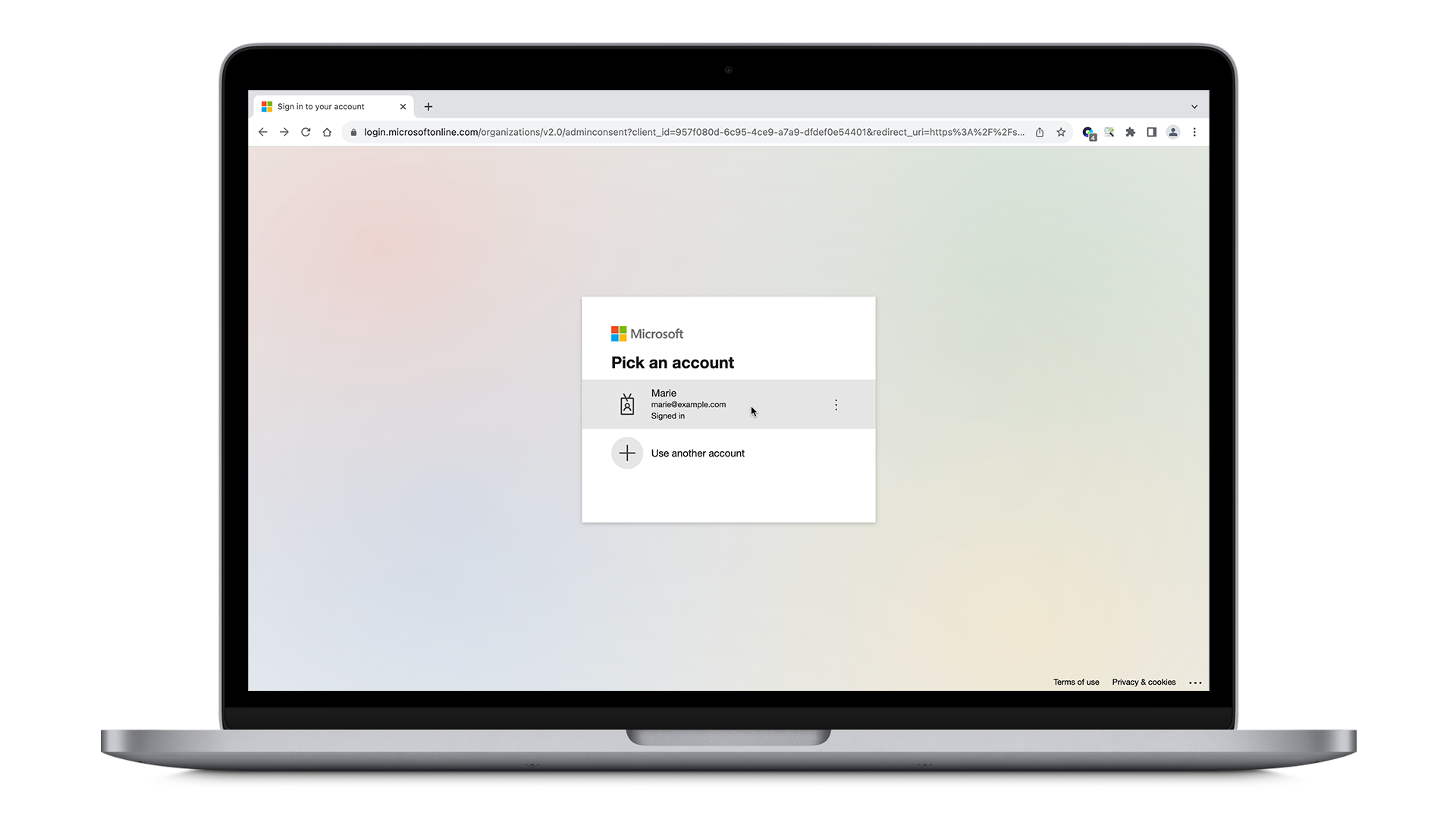
If you are signed in already with your Microsoft Entra ID account, simply pick your account. Otherwise, log in using your Microsoft Entra ID credentials.
On the next page, click on Accept to allow the permissions requested.
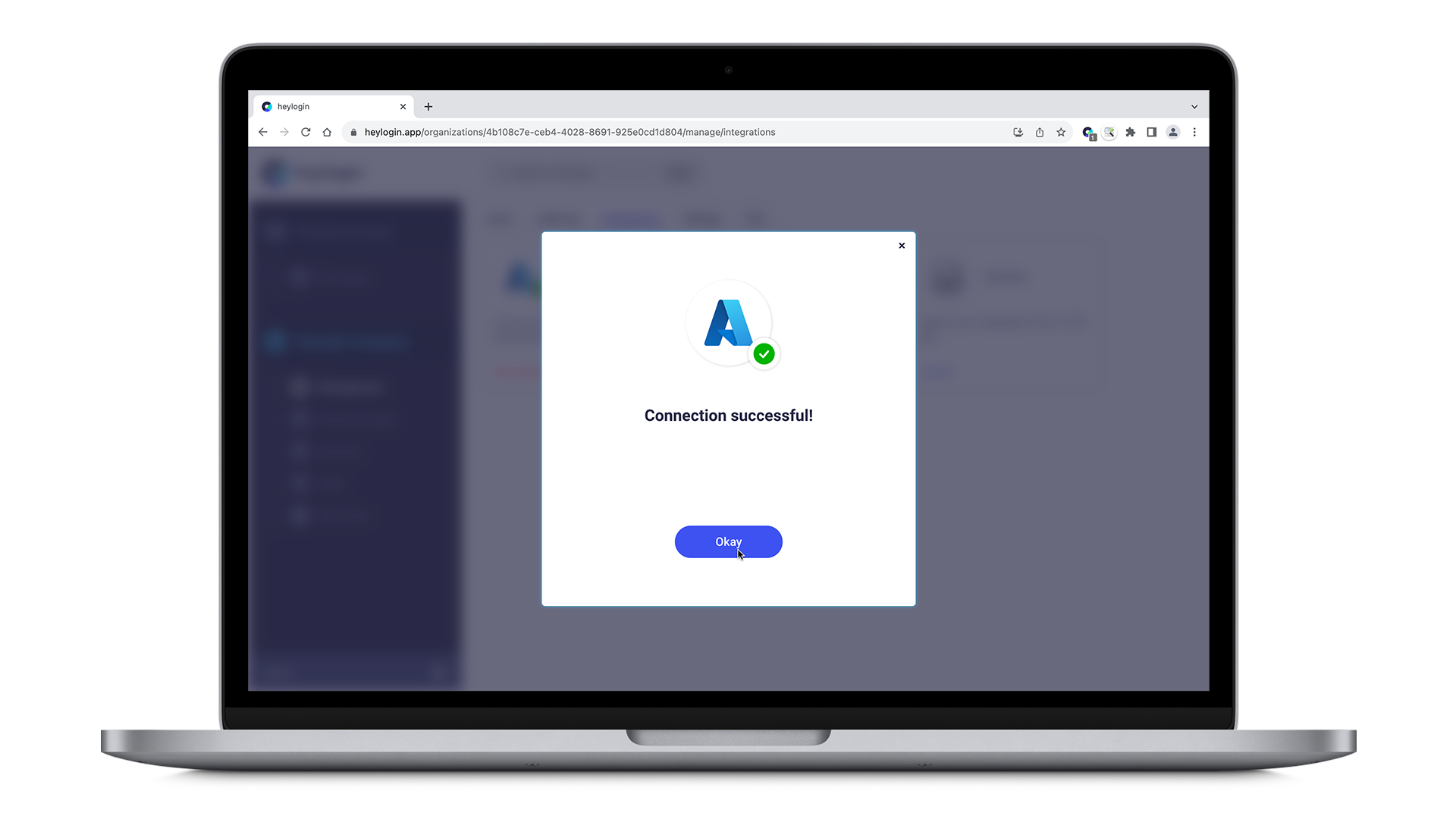
Connecting Microsoft Entra ID with heylogin was successful.
Activate employees from Microsoft Entra ID
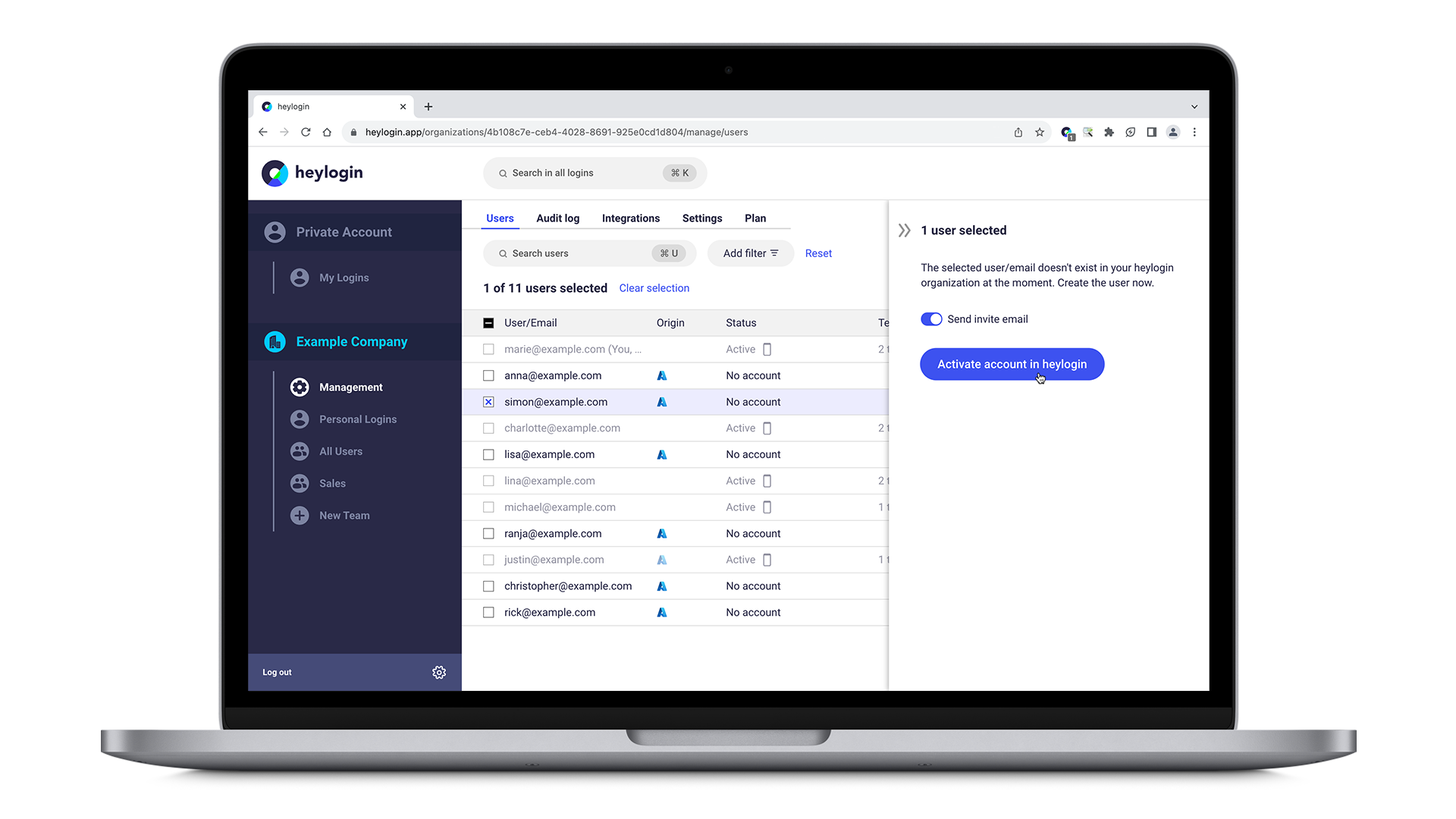
In order to activate your employees from Microsoft Entra ID, select an employee back in your heylogin management interface and click Activate account in heylogin on the right-hand side of the screen.
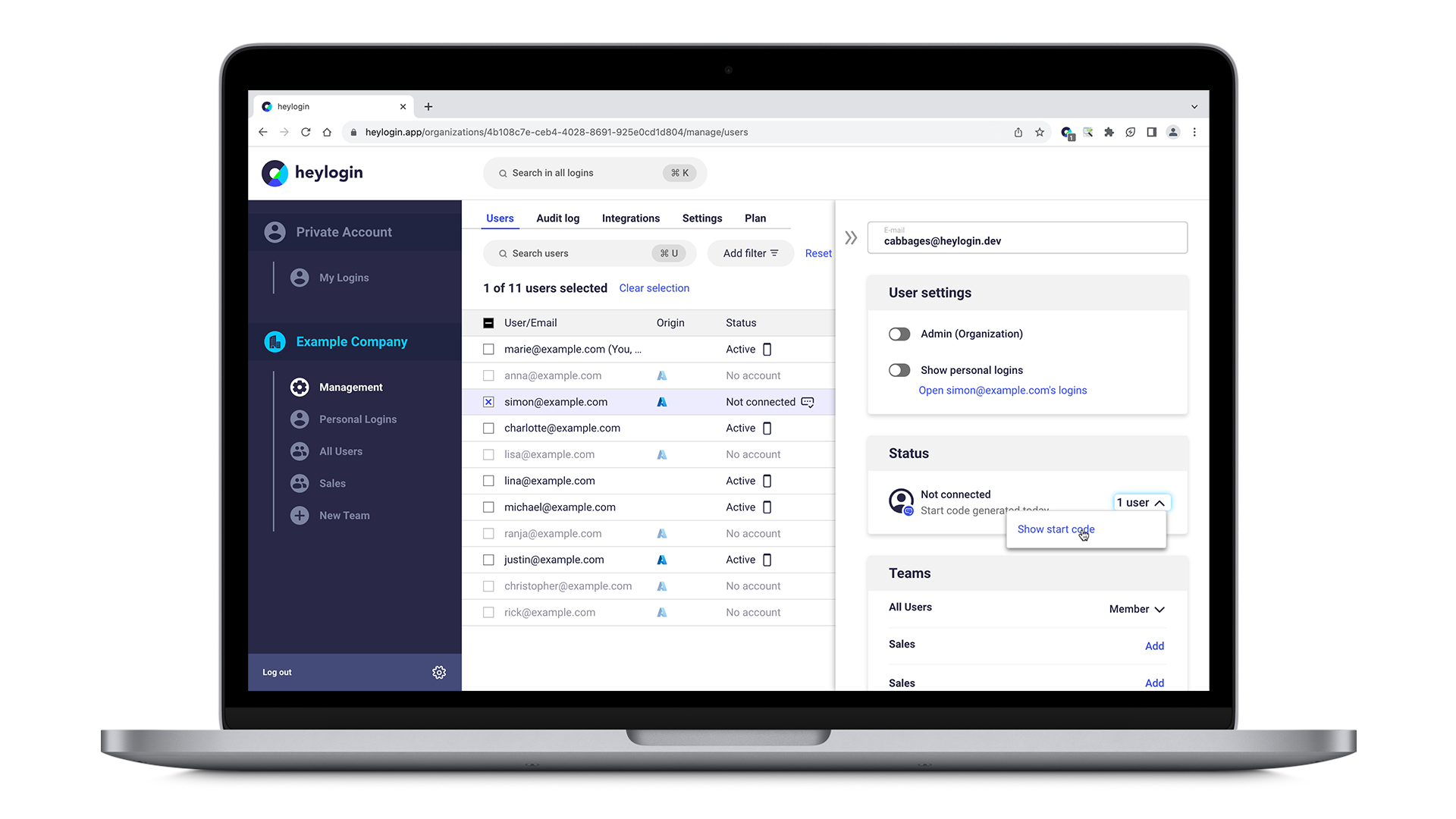
Next, under Status and Not connected click on 1 user and hit Show start code.
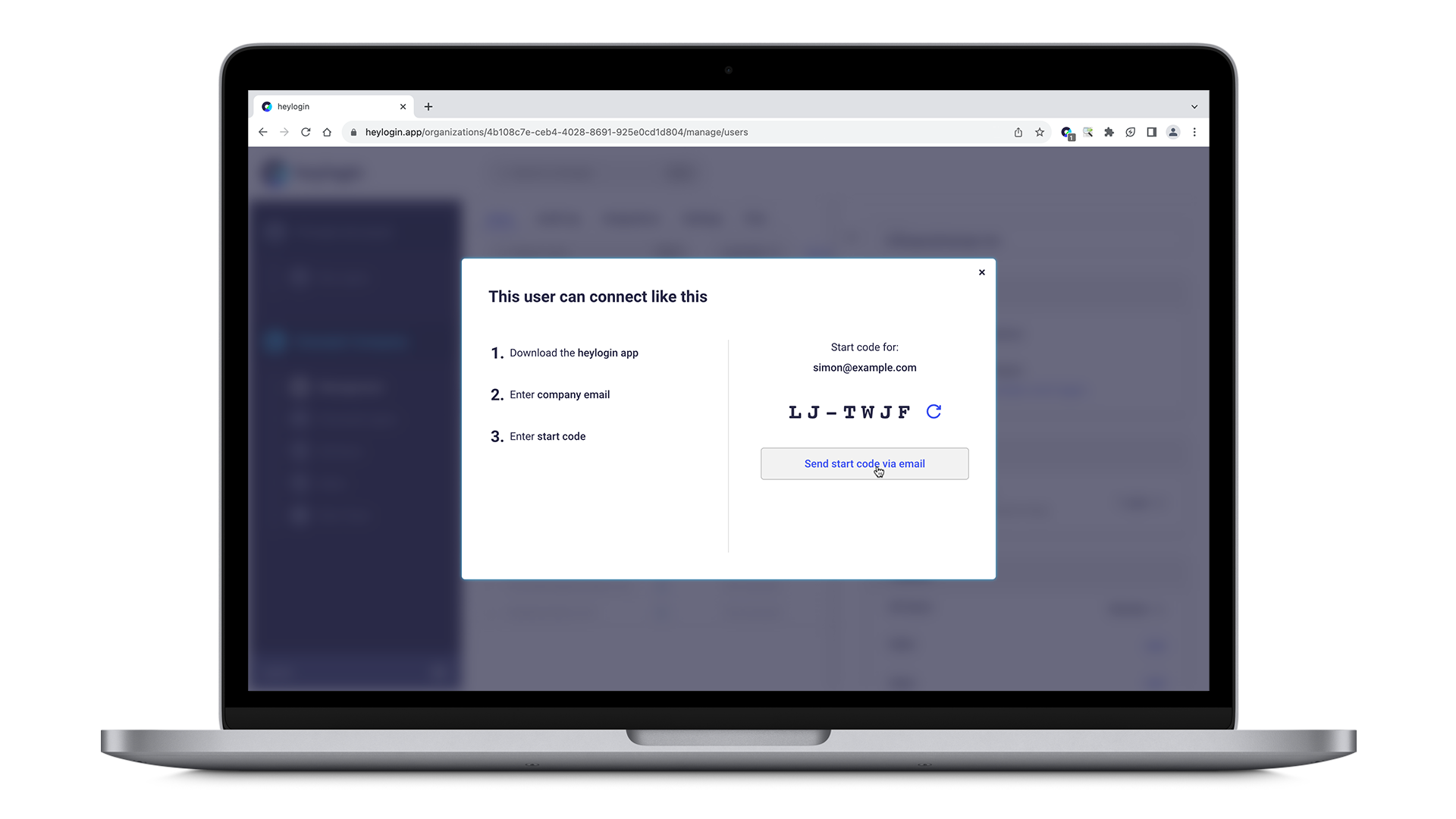
You can either send your employee the start code via mail by clicking send start code via email or tell them directly.
Your employee finally needs to download the heylogin app and follow these instructions starting from Connect a new device in order to type in the start code.
💡
You can decide which users to activate in heylogin after connecting Entra ID. Furthermore, you can still add users manually without Entra ID. heylogin is really flexible here.
Synchronize Entra groups as heylogin teams
❓
Group sync is a great way to manage access to shared logins based on your existing Entra group structure.
For example, you can create an Entra group "Marketing Tools" and synchronize it to automatically give all marketing team members access to shared marketing logins.
You can mirror your Entra group structure in heylogin by synchronizing Entra groups as heylogin teams. When a group is synchronized, its members are automatically kept in sync. Users added to or removed from the group in Entra will be added to or removed from the corresponding heylogin team.
Add synchronized groups
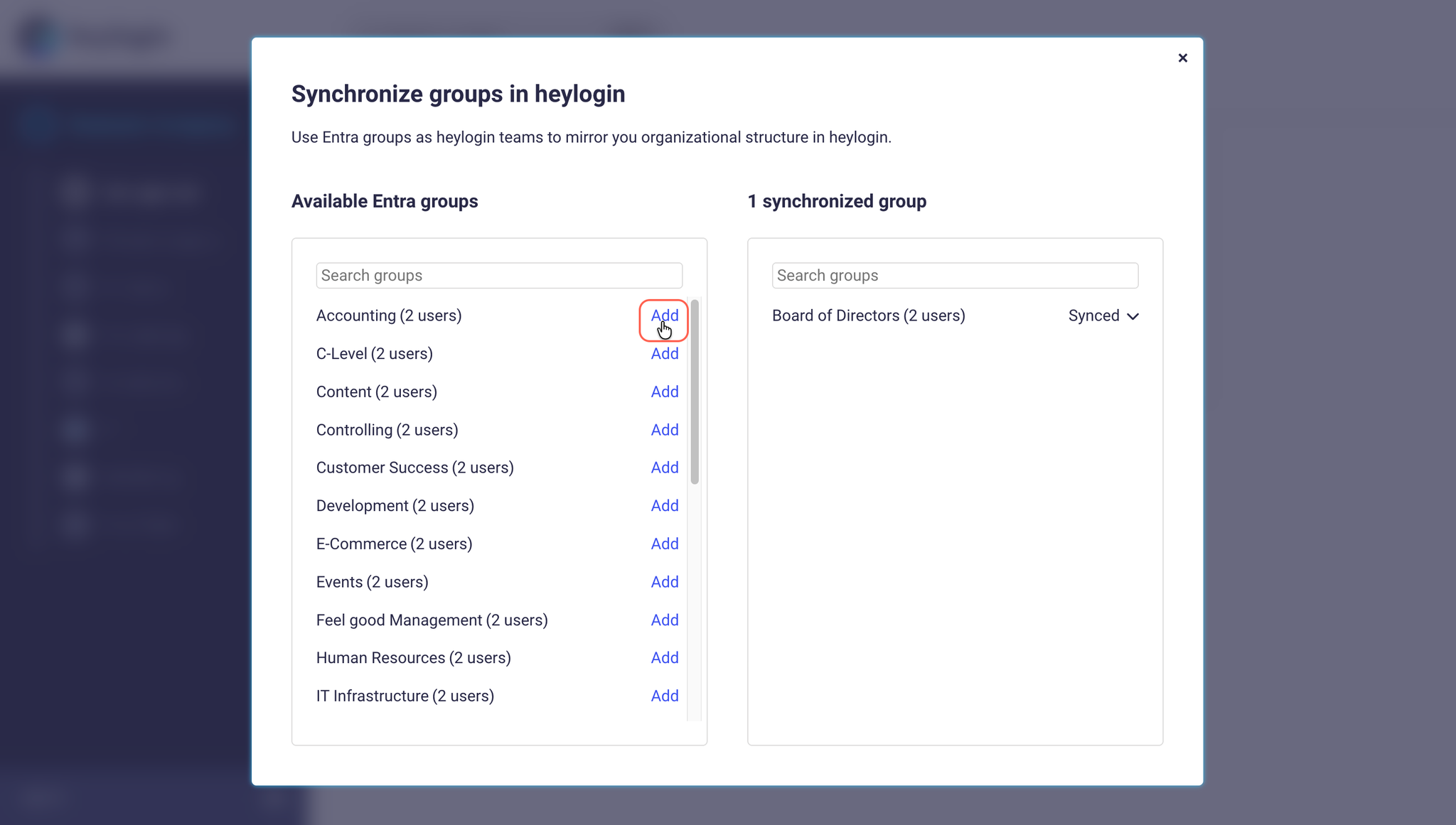
In the Integrations tab, click Synchronize groups in the Microsoft Entra ID box.
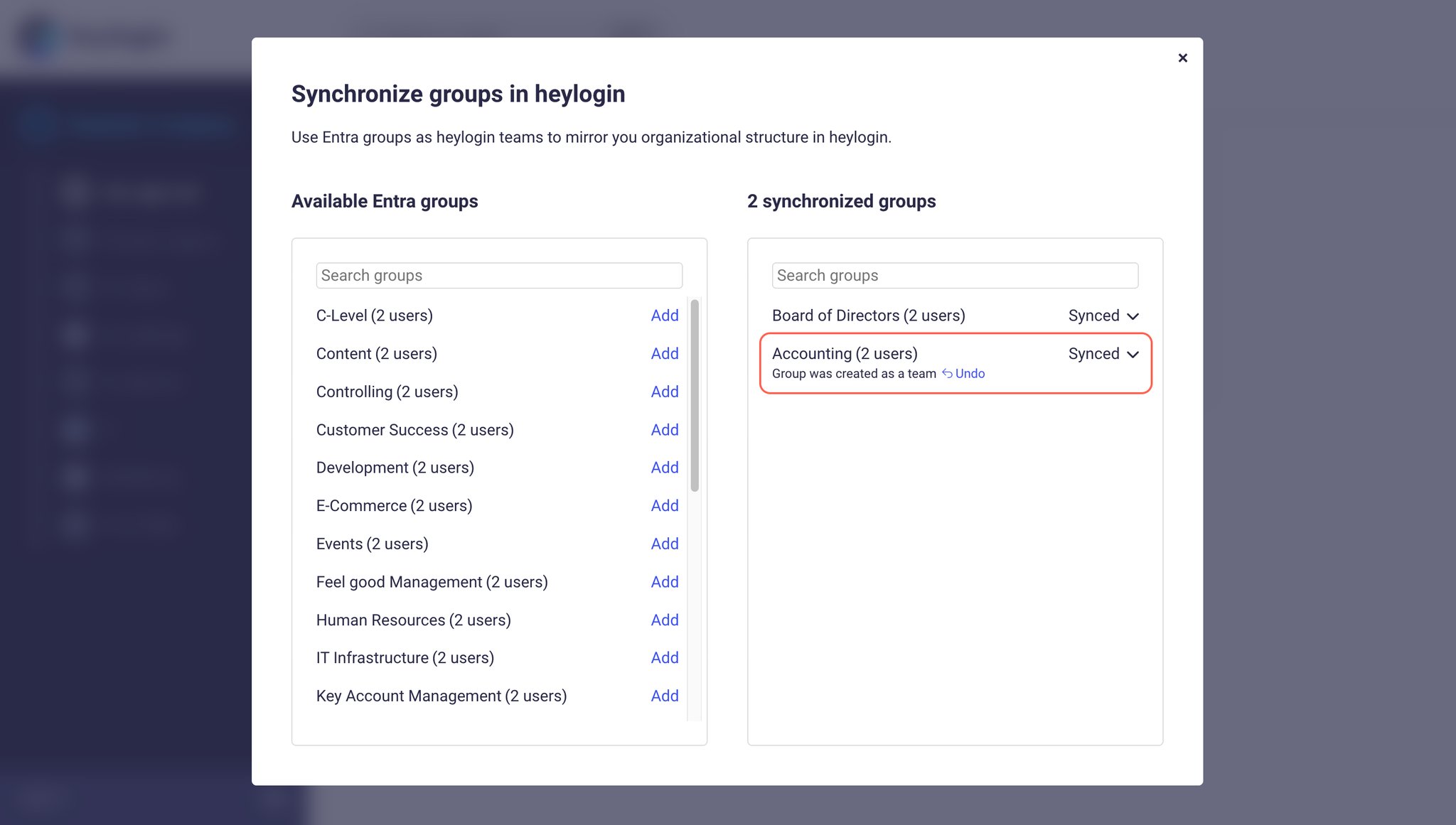
The group sync dialog shows all available Entra groups on the left. Use the search field to find a specific group. Click Add next to a group to create it as a heylogin team.
The group appears in the Synchronized groups list on the right with the status Synced.
💡
Members of the Entra group are automatically added to the new heylogin team. This sync runs periodically in the background, so it may take a few minutes for all members to appear.
Manage synchronized groups
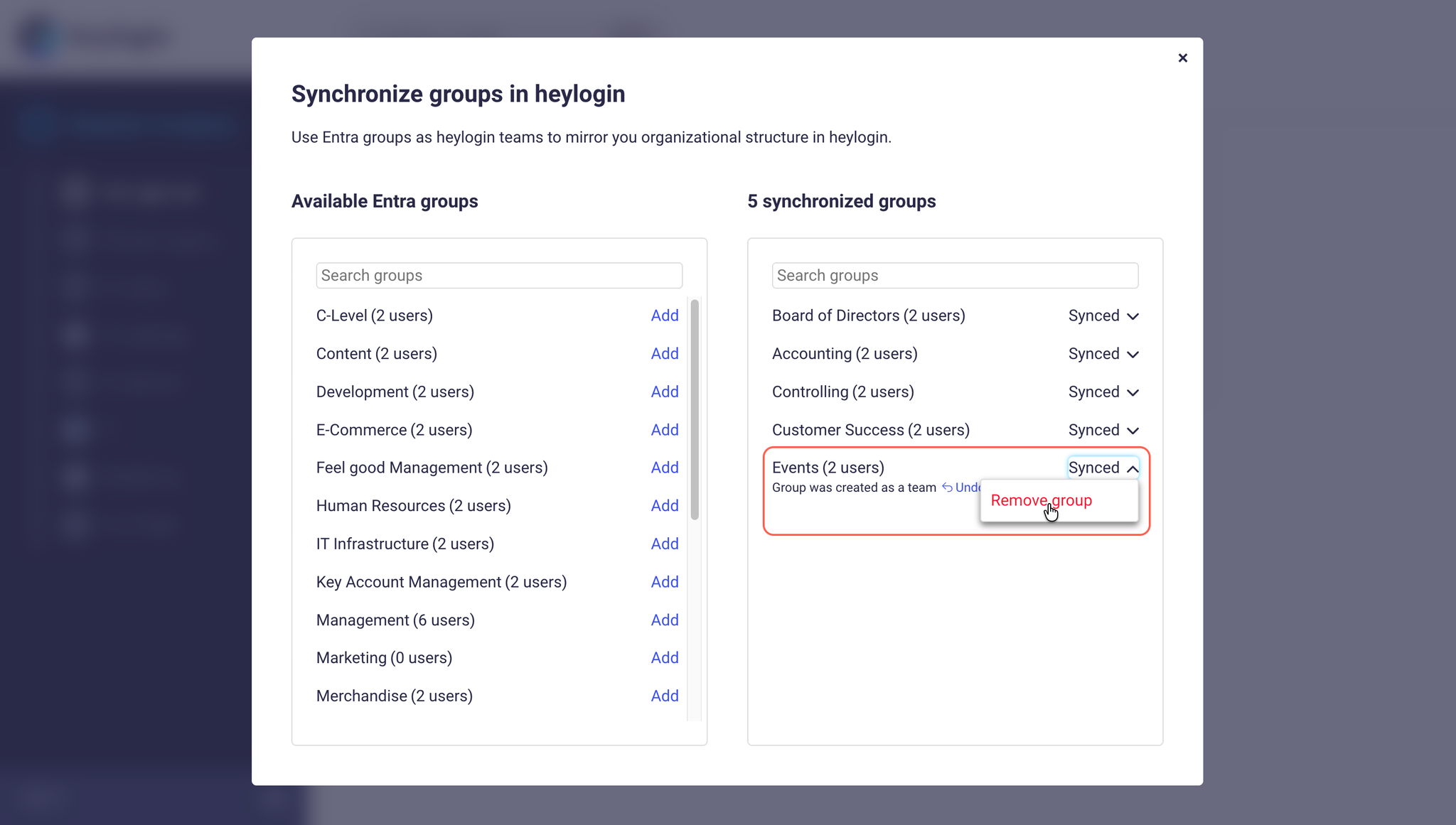
Click the Synced dropdown next to a synchronized group to see available actions:
Open: Navigate to the team in heylogin to manage its logins.
Remove group: Remove the synchronization and delete the team.
❗
This is only possible if the team contains no logins. Move or delete all logins from the team first if you need to remove it.
How group sync works
Adding members: When a user is added to a synchronized Entra group, they are automatically added to the corresponding heylogin team.
Removing members: When a user is removed from a synchronized Entra group, they are automatically removed from the heylogin team.
Group renames: If a group is renamed in Entra, the team name in heylogin is updated automatically.
Filtering: If you have user filtering by group enabled in the Entra settings, group sync still works independently. All groups are available for synchronization regardless of the user filter.