
logo
To heylogin.comContact support
Help Center - English
🚀
Welcome
First steps
First steps for admins
Import & export
Import
Google Chrome
Microsoft Edge
Mozilla Firefox
1Password
Apple Passwords
Bitwarden
Dashlane
Enpass
heylogin
KeePass
LastPass
NordPass
Proton Pass
Sticky Password
Excel
CSV
Export
📱
Access
Supported devices
Additional backup methods
Change phone
Lost phone
⭐
Features
Browser extension
Two-factor authentication (TOTP)
Desktop apps
Manage logins
Private & work
Settings
👥
Organizations
Manage organizations
Share logins
Integrations
🧾
Account & product
Billing and subscription
Managed Service Provider
Leaving heylogin
Security, privacy and compliance
Roadmap and release notes
Help Center - English
/
Welcome
/
Import & export
/
Import

heylogin

You can export and import your logins from heylogin.

Export logins from heylogin

  1. Follow our export instructions.

Import the file into heylogin

  1. Open https://heylogin.app/settings/import/heylogin.
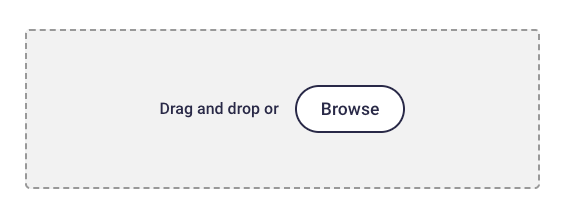
  1. Drag and drop the exported file into the highlighted area.
    1. Image without caption
💡
If you have any problems, please contact heylogin support
Enpass
KeePass

Powered by Notaku
Helpful?
Privacy
Site Notice
Share
Content
heylogin
Export logins from heylogin
Import the file into heylogin